Home Products → SpaceX Tatkal Software → EndGame Tatkal Software → Tesla Tatkal Software → DoctorDoom Tatkal Software → AlexaX Tatkal Software → StarLink Tatkal Software Download Blog Contact
Free Demo Download View All Products
Smart Session

AlexaX Tatkal Software – Smart IRCTC Ticket Booking Tool

AlexaX Tatkal Software delivers next-generation Tatkal booking with intelligent session management, lightning-fast form submission, and a seamless workflow built specifically for professional travel agents.

Windows 10/11 Compatible
Free Demo Available
24/7 Support
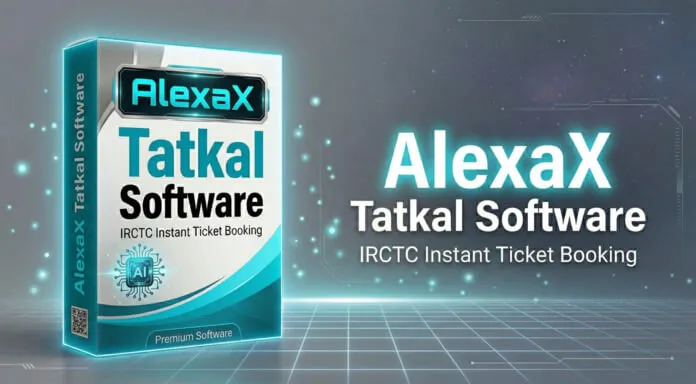
AlexaX Tatkal Software interface for smart IRCTC Tatkal ticket booking

Everything You Need to Win Tatkal Tickets

AlexaX combines smart session management with ultra-fast booking — giving travel agents a smarter, faster, more reliable Tatkal tool.

Lightning Fast Form Submission

AlexaX pre-loads all booking data and fires form submissions at the exact millisecond the Tatkal window opens, ensuring you're always first in line ahead of manual bookers.

Smart Session Handling

Intelligent session management keeps your IRCTC login alive and responsive throughout the booking window, preventing session timeouts that cause failed bookings.

Captcha Assistance Support

Integrated captcha assistance module presents captcha clearly and allows one-click entry, reducing captcha resolution time to under 2 seconds during the critical Tatkal window.

Agent-Optimized Interface

A clean, distraction-free dashboard designed for speed. Every control is where you need it — no hunting through menus during the critical 60-second Tatkal window.

Auto Payment Integration

Pre-configure UPI, debit card, or internet banking for automatic payment processing. Payments complete in under 5 seconds, cutting total booking time significantly.

Multi ID Management

Manage and switch between multiple IRCTC accounts from one dashboard. Run parallel booking attempts across different IDs to maximize your success chances every session.

Numbers That Speak for Themselves

Real results from 310+ travel agents using AlexaX Tatkal Software daily across India.

0%
Session Timeouts

AlexaX's smart session handling eliminates IRCTC session timeouts — zero failed bookings due to session expiry reported by agents.

94%
Booking Success Rate

AlexaX agents report a 94% Tatkal booking success rate — significantly higher than the 60-70% industry average for manual booking.

45+
Tickets Per Day

Power agents using AlexaX process 45+ Tatkal bookings every day, massively increasing agency revenue and client throughput.

How AlexaX Tatkal Software Works

Get up and running in under 5 minutes. Four simple steps from install to your first booked ticket.

1

Install Software

Download the AlexaX installer (.exe) and run it on your Windows 10 or 11 PC. Installation completes in under 2 minutes with no technical setup required.

2

Configure IRCTC IDs

Add your IRCTC login credentials, passenger profiles, and payment method. AlexaX's smart session manager keeps your accounts primed and ready.

3

Set Booking Details

Enter the train, date, class, quota (Tatkal), and passenger details before the Tatkal window opens at 10:00 AM (AC) or 11:00 AM (Non-AC).

4

Auto Book & Confirm

AlexaX fires the booking at the exact opening second. Handle captcha quickly, confirm payment automatically, and your Tatkal ticket is booked in seconds.

VPS Server & Proxy IP Plans

Boost your Tatkal booking speed with dedicated VPS servers and proxy IPs. Low latency, high uptime — built for IRCTC automation.

VPS SERVER
8 GB RAM
Best Value

8GB VPS Server

Dedicated 8GB RAM VPS optimized for Tatkal booking automation. Low ping to IRCTC servers for faster response times.

  • 8 GB DDR4 RAM
  • 4 vCPU Cores
  • 100 GB SSD Storage
  • Unmetered Bandwidth
  • Windows Server Ready
  • 24/7 Uptime Guarantee
RECOMMENDED
VPS SERVER
16 GB RAM
High Performance

16GB VPS Server

High-performance 16GB RAM VPS for agents running multiple Tatkal software instances simultaneously at full speed.

  • 16 GB DDR4 RAM
  • 8 vCPU Cores
  • 200 GB NVMe SSD
  • Unmetered Bandwidth
  • Windows Server Ready
  • Priority Support
PROXY
Proxy IP
Fresh IPs

Proxy IP for IRCTC

Dedicated proxy IPs optimized for IRCTC access. Avoid IP blocks and rate limits during high-traffic Tatkal booking windows.

  • Dedicated Indian IPs
  • IRCTC Compatible
  • Low Latency Ping
  • Daily / Monthly Plans
  • HTTP & SOCKS5 Support
  • Instant Delivery
Overview

The Smartest Tatkal Booking Workflow

94% Success
Smart Sessions
4.8s Avg Book

AlexaX manages your IRCTC sessions intelligently in the background, so when 10:00 AM arrives your login is live, your passenger data is loaded, and the booking fires instantly — no delays, no session errors.

  • Smart session handling eliminates IRCTC timeouts
  • Works on Windows 10 and Windows 11 (64-bit)
  • Supports multiple IRCTC accounts simultaneously
  • Free demo available — no credit card required
Download Free Demo
AlexaX Tatkal Software dashboard
REAL BOOKING RESULTS

Proof That AlexaX Works

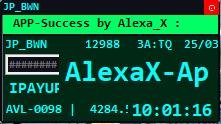
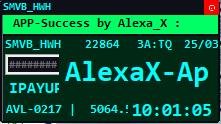
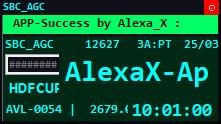
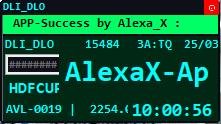
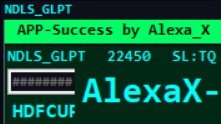
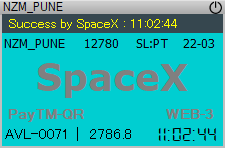
Real PNR success screenshots from 310+ agents. Every booking confirmed in seconds.

AlexaX Tatkal Software - PNR confirmed booking result 1
AlexaX Tatkal Software - PNR confirmed booking result 2
AlexaX Tatkal Software - PNR confirmed booking result 3
AlexaX Tatkal Software - PNR confirmed booking result 4
AlexaX Tatkal Software - PNR confirmed booking result 5
AlexaX Tatkal Software - PNR confirmed booking result 6
AlexaX Tatkal Software - PNR confirmed booking result 7
AlexaX Tatkal Software - PNR confirmed booking result 8
AlexaX Tatkal Software - PNR confirmed booking result 9
AlexaX Tatkal Software - PNR confirmed booking result 10
AlexaX Tatkal Software - PNR confirmed booking result 11
Booking result screenshot

See It Book a Ticket Live

Watch a real Tatkal booking session from login to confirmed ticket in under 60 seconds.

Replace VIDEO_ID with your YouTube video ID to activate this section.

👥 Community

Join 5,000+ Agents Already Inside

Get daily booking tips, live success alerts, software updates & instant peer support — completely free.

WhatsApp Group
Join WhatsApp
5,000+ Active Members
  • Instant booking success alerts
  • Daily Tatkal tips & tricks
  • Live peer support 24/7
  • Exclusive discount offers
Telegram Channel
Join Telegram
10,000+ Subscribers
  • Software update announcements
  • Premium booking strategies
  • IRCTC alerts & news
  • Exclusive early-access offers
Join Telegram Channel
Free to join
No spam ever
15,000+ total members
Leave anytime

Ready to Book Smarter with AlexaX?

Join 310+ travel agents who use AlexaX Tatkal Software daily for smart, fast, and reliable Tatkal ticket bookings.

Frequently Asked Questions — AlexaX

Everything you need to know about AlexaX Tatkal Software before downloading.

AlexaX's smart session handling continuously monitors and refreshes your IRCTC login sessions in the background, keeping them live and ready throughout the Tatkal window. This prevents session timeouts — one of the most common reasons bookings fail. Agents using AlexaX report zero session-related booking failures since switching to the tool.
AlexaX Tatkal Software requires Windows 10 (64-bit) or Windows 11 with a minimum of 4 GB RAM and 200 MB of free disk space. A stable internet connection with at least 10 Mbps speed is recommended. No additional software or frameworks are required — everything is bundled in the installer. Not compatible with Mac or Linux.
AlexaX supports up to 10 IRCTC IDs simultaneously in the standard license. Each account has its own passenger profiles and payment methods configured. You can switch between accounts instantly from the dashboard during the booking session. For agencies needing more than 10 IDs, contact us on WhatsApp for enterprise pricing.
Yes, AlexaX Tatkal Software is fully compatible with Windows 11 (64-bit), including Home, Pro, and Enterprise editions. It also runs on Windows 10 (version 1903 and above). The software is regularly updated to maintain compatibility with the latest Windows updates and IRCTC platform changes.
Yes! A completely free demo of AlexaX Tatkal Software is available. The demo lets you explore all features — booking interface, passenger management, IRCTC ID setup, and session handling — with no time limit and no credit card required. To enable actual ticket booking, purchase the full license. Contact us on WhatsApp for pricing details.